Overnote Help
OverNote app is supposed to backup your notes to your iCloud account if your 'Use iCloud' switch is turned on in the settings  of the OverNote App. But we have been having issues with the the app and want to replace it with something better.
In the mean time we would like to tell you how to back up your notes so you hopefully don't lose them all.
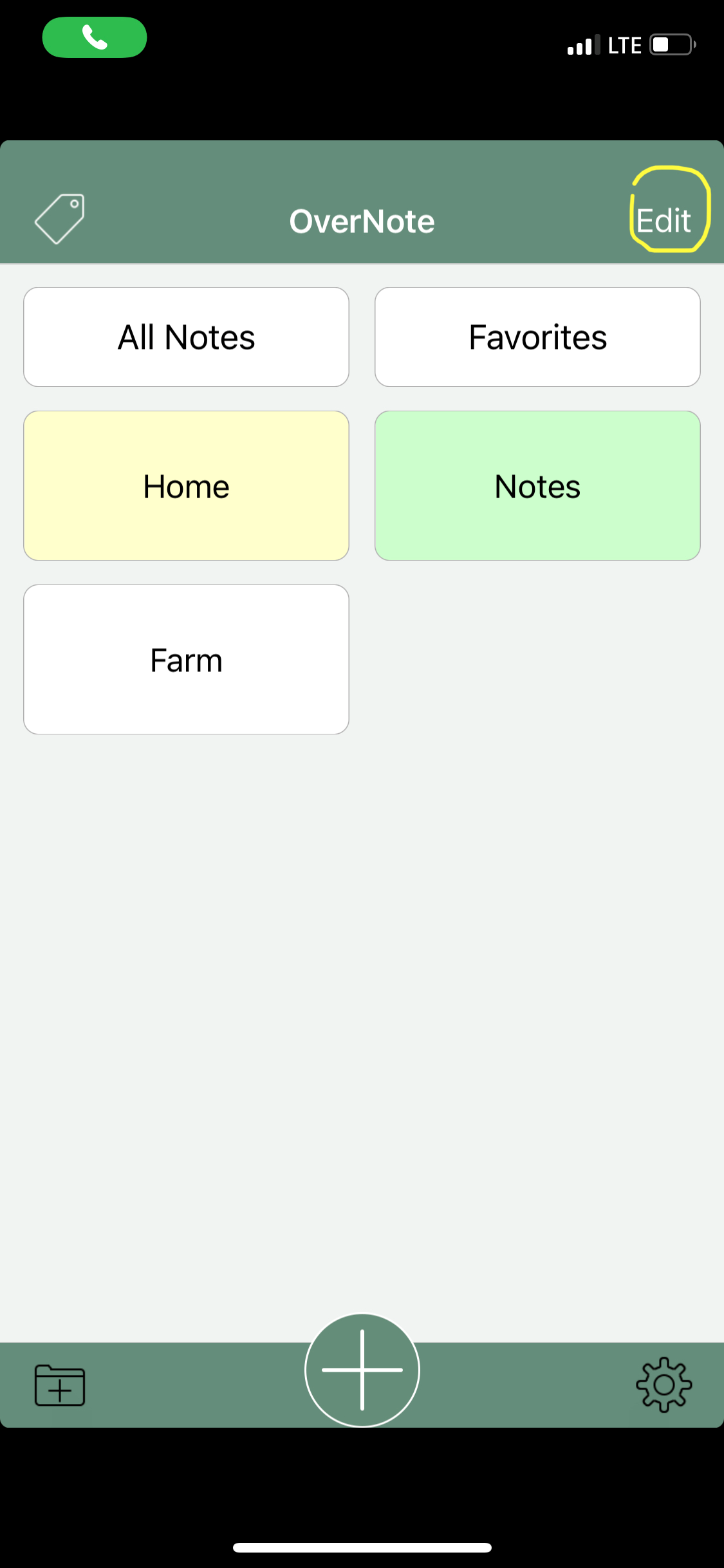
Go into the app and press on the 'Edit' button
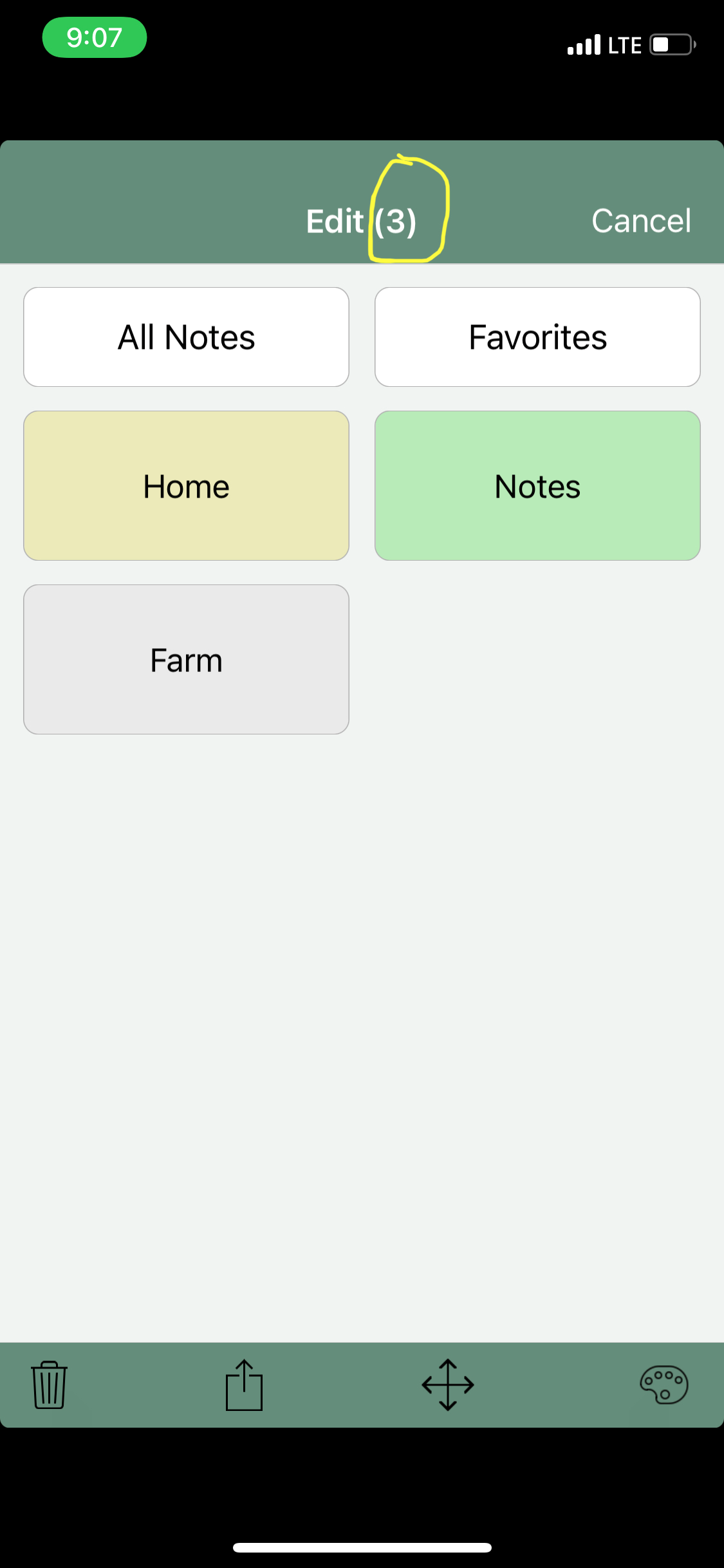
Then select your folders by pressing on them (All Notes and Favorites are not folders). The folders you select will grade slightly when selected and the number of folders currently selected will appear next the word Edit (top middle)
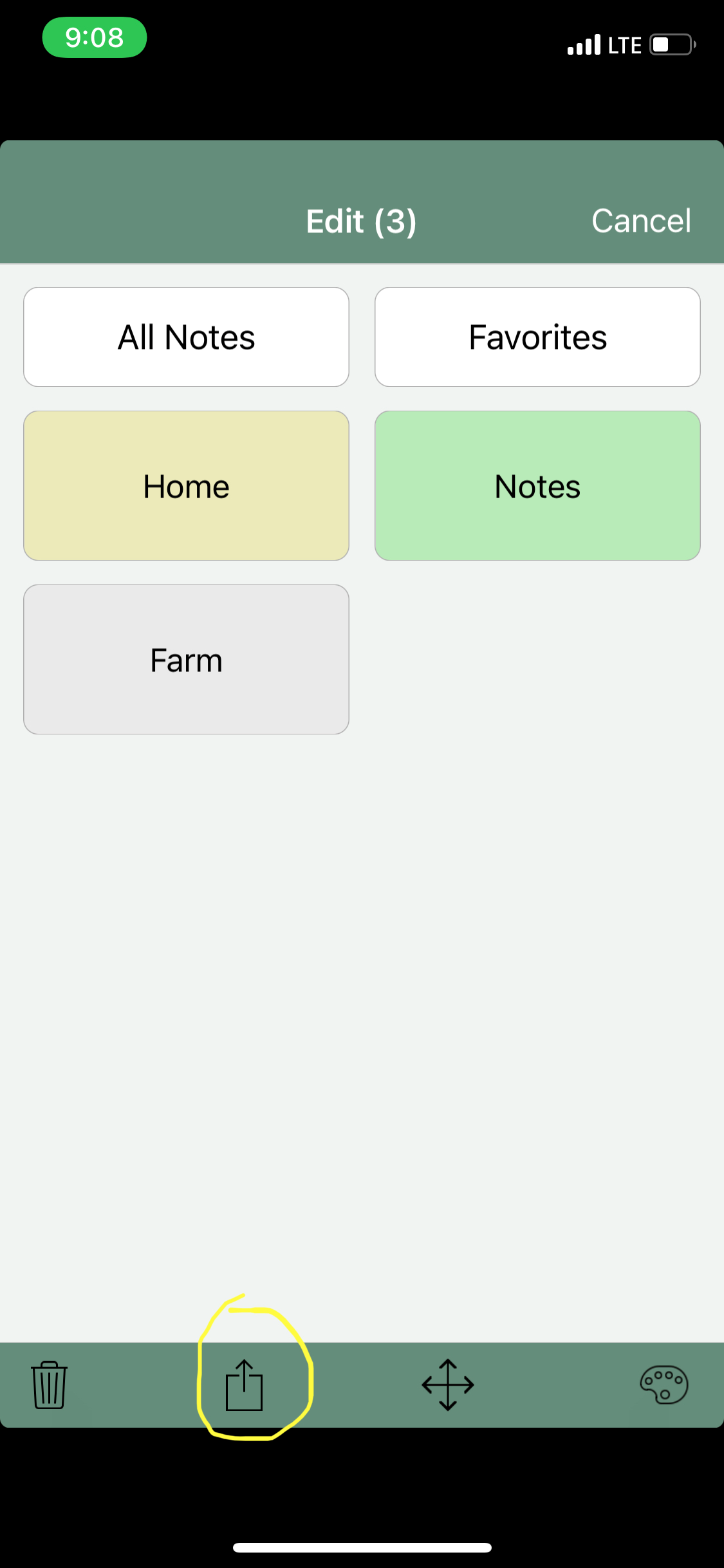
Next press on the share button (second from the left near the bottom)
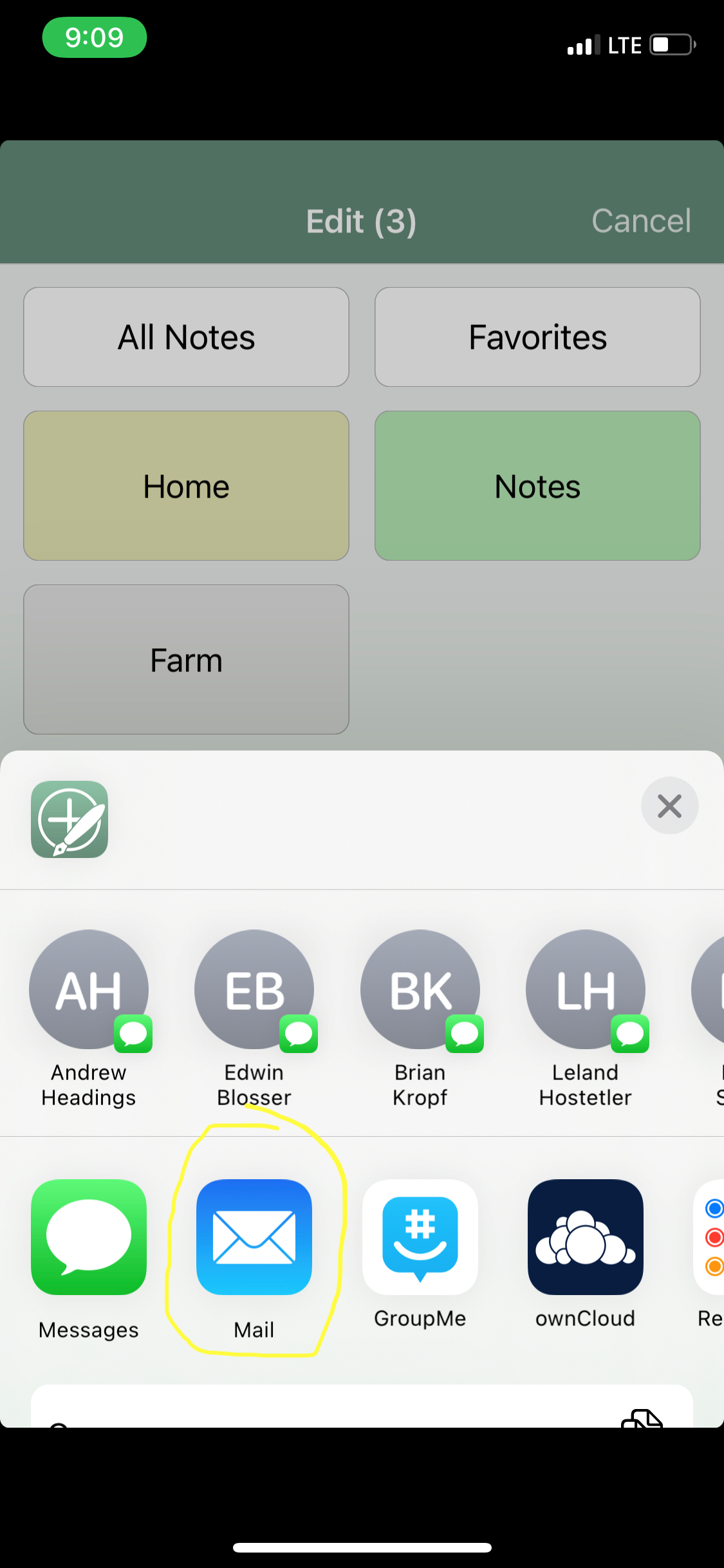
Then choose mail and email the notes to yourself by putting your own email address in the TO: line.