Bitwarden
Bitwarden is a password manager app.
If you use passwords you need a password manager. It can generate passwords, store (remember) them, and enter your password securely when logging into a site.
How to use it
-
Select a password! This should be the only password you have remember, but you do have to remember this password in order to access all other passwords
- Create an account
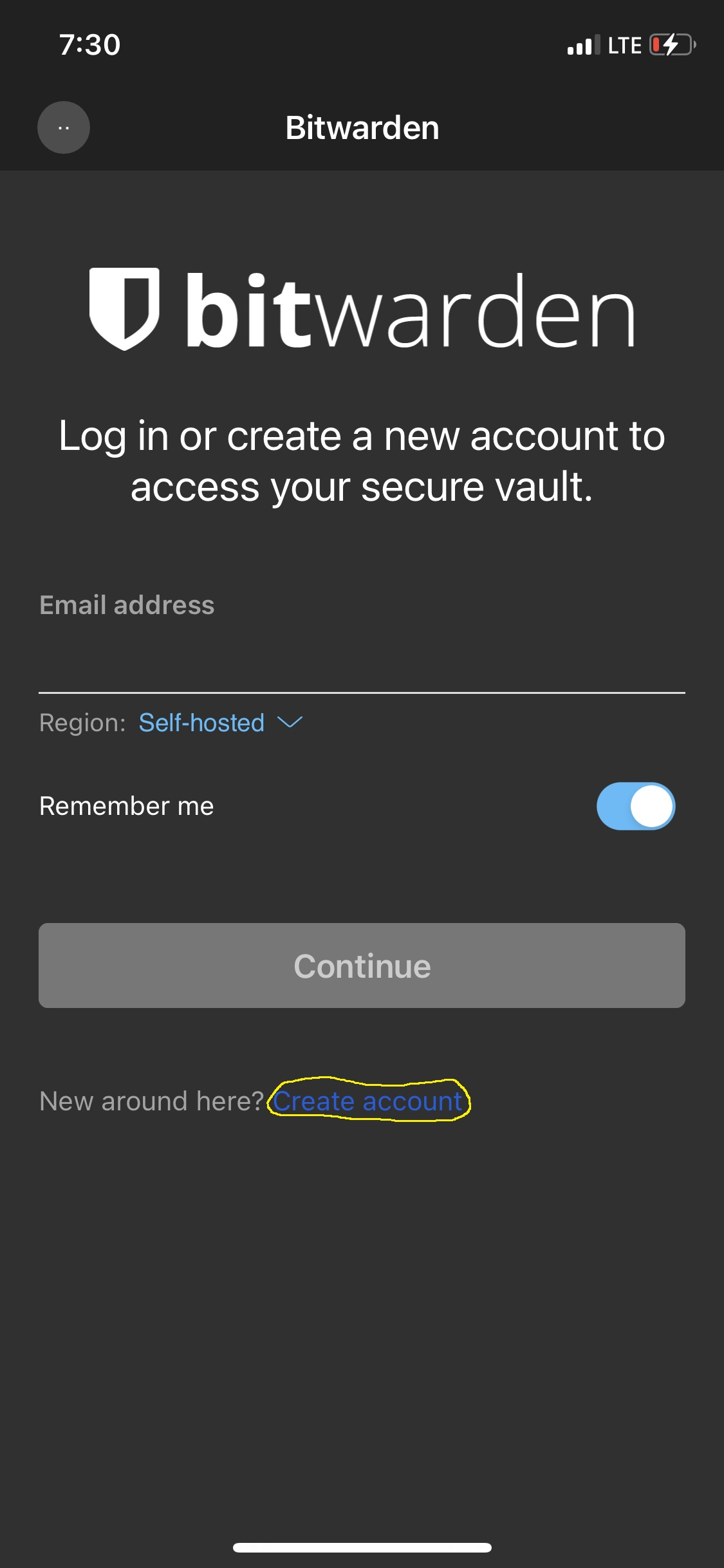
On the next page fill in the appropriate blanks.
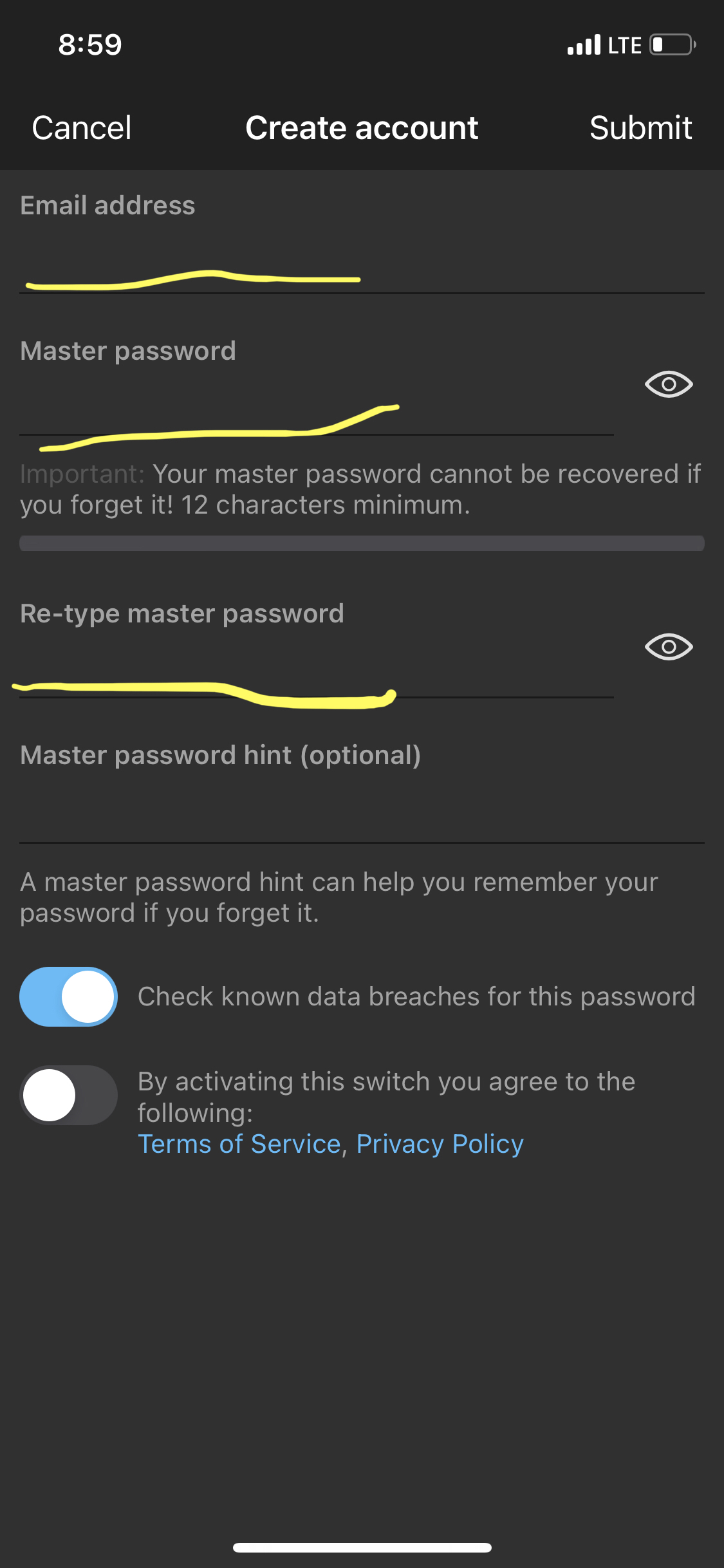
Once you have finished and pressed 'Submit' in the upper right corner. An email will be sent to the email address you used to create the account with a link that will need to be clicked on in a computer (you won't be able to do it from your phone) to verify that your email address is valid and finish creating the account. After that you will be able to login the Bitwarden app and start saving your passwords.
You can also access your Bitwarden account on other devices with Bitwarden apps for browsers and computers. The Region will have to be set to Self-hosted and the Server URL set to https://vault.ctgroup.tech.
To use the Organizations and Emergency Access features available in this system you will need access your account thru a browser and go to vault.ctgroup.tech and sign to your account
What kind of passwords should I create?
•Make it Unique
This means the password is unique to each account. Not the same password used for multiple accounts
•Make It Random
The password has a combination of uppercase and lowercase letters, numbers, special characters, and words unrelated to your personal information.
•Make it Long
An 8-character password will take a hacker 39 minutes to crack, while a 16-character password will take a hacker centuries to crack.